If you’re like most online news junkies, you probably have many websites that you read on a daily basis.
You probably even expand beyond your usual interests or try to get different perspectives on issues you care about with news aggregators such as Google News, through social news sites like Reddit, or through blogs. Yet, you probably have to wade through a crushing amount of information to get to the topics that you really care about, and this can be mentally fatiguing at times.
There may be moments when you would like a more efficient approach. SkyGrid is a company that endeavors to bring you such an experience.
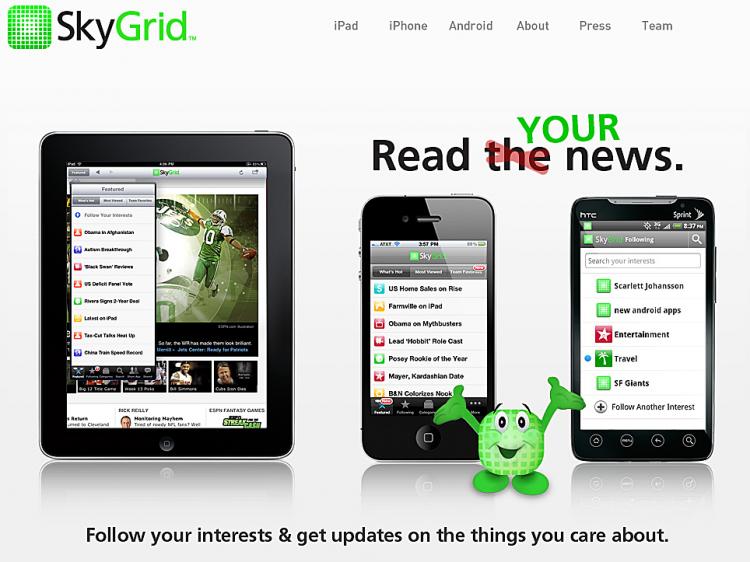
SkyGrid was founded in 2005 but has only recently released an iPhone app. The SkyGrid app stands out by showing you the news headlines as soon as they are released. It has some pre-defined categories from which you can choose to monitor the news as it happens.
That just may be more information overload, but the true strength of this app is that it can monitor topics that you enter yourself. You may be very surprised by what it comes up with. It seems to be able to track a very large variety of news sources, whether from mainstream, non-mainstream, international, or less-trafficked websites.
SkyGrid also shows the headlines from any chosen topic almost as soon as they are published. This form of presentation is known as stream browsing and is similar to how Twitter presents postings. Like most stream browsers, it does not show you updates in real time. You must refresh the category to see new headlines, but the app does not even have a refresh button on the category page.
The technology behind the app is cutting-edge, and the information it delivers is very useful, but the app itself is unremarkable. There are very few functions, very little that you can customize, and not much use of visual indicators in the user interface.
On the other hand, there is very little that can go wrong and the app is very stable. SkyGrid favors function over form, but the app really needs an interface to match the caliber of its service.
SkyGrid is available for free.
You probably even expand beyond your usual interests or try to get different perspectives on issues you care about with news aggregators such as Google News, through social news sites like Reddit, or through blogs. Yet, you probably have to wade through a crushing amount of information to get to the topics that you really care about, and this can be mentally fatiguing at times.
There may be moments when you would like a more efficient approach. SkyGrid is a company that endeavors to bring you such an experience.
SkyGrid was founded in 2005 but has only recently released an iPhone app. The SkyGrid app stands out by showing you the news headlines as soon as they are released. It has some pre-defined categories from which you can choose to monitor the news as it happens.
That just may be more information overload, but the true strength of this app is that it can monitor topics that you enter yourself. You may be very surprised by what it comes up with. It seems to be able to track a very large variety of news sources, whether from mainstream, non-mainstream, international, or less-trafficked websites.
SkyGrid also shows the headlines from any chosen topic almost as soon as they are published. This form of presentation is known as stream browsing and is similar to how Twitter presents postings. Like most stream browsers, it does not show you updates in real time. You must refresh the category to see new headlines, but the app does not even have a refresh button on the category page.
The technology behind the app is cutting-edge, and the information it delivers is very useful, but the app itself is unremarkable. There are very few functions, very little that you can customize, and not much use of visual indicators in the user interface.
On the other hand, there is very little that can go wrong and the app is very stable. SkyGrid favors function over form, but the app really needs an interface to match the caliber of its service.
SkyGrid is available for free.